
Your Activation Agent, Right Inside Slack.
Ask about your pipeline, partner scores, and deal status from a Slack DM. No tab-switching, no dashboard hunting.
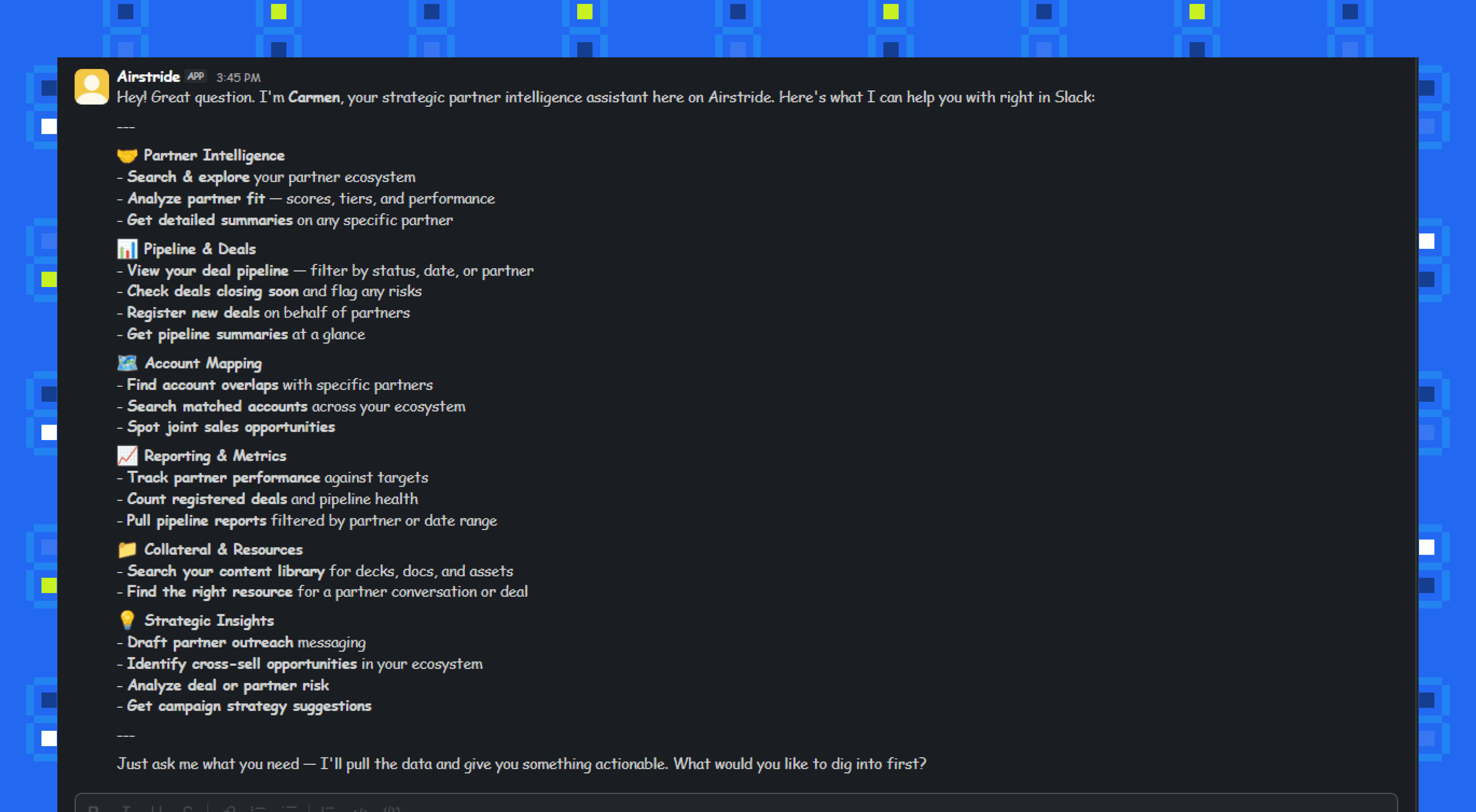
Why we built this
Your team lives in Slack. Deals are discussed in channels, partner updates come through DMs, and decisions are made in threads. But to get partner intelligence, you had to leave that context entirely. Open a new tab, log into Airstride, navigate to the right screen, then bring the information back to Slack.
That context-switching kills momentum. By the time you’ve found the data you needed, the conversation has moved on. The question went unanswered. The decision was made without the right insight.
Now the Partner Activation Agent lives right inside your Slack workspace. Send it a DM and ask about pipeline status, partner fit scores, or deal progress. It responds in seconds with the data you need: no tab-switching, no dashboard hunting, no broken flow.
Your partner intelligence, one DM away
This is a strategic partner intelligence assistant, not a simple chatbot. It connects directly to your Airstride workspace data.
Pipeline & Reporting
Ask about deal status, partner performance metrics, conversion rates, and pipeline health. The agent pulls real-time data from your Airstride workspace and summarises it conversationally.
Partner Intelligence
Get fit scores, partner summaries, account overlap analysis, and partner programme insights. The agent knows your partner ecosystem and can surface the context you need for any conversation.
Collateral & Resources
Need a one-pager, a partner deck, or a specific document? Ask, and the agent finds and surfaces relevant collateral from your connected resources.
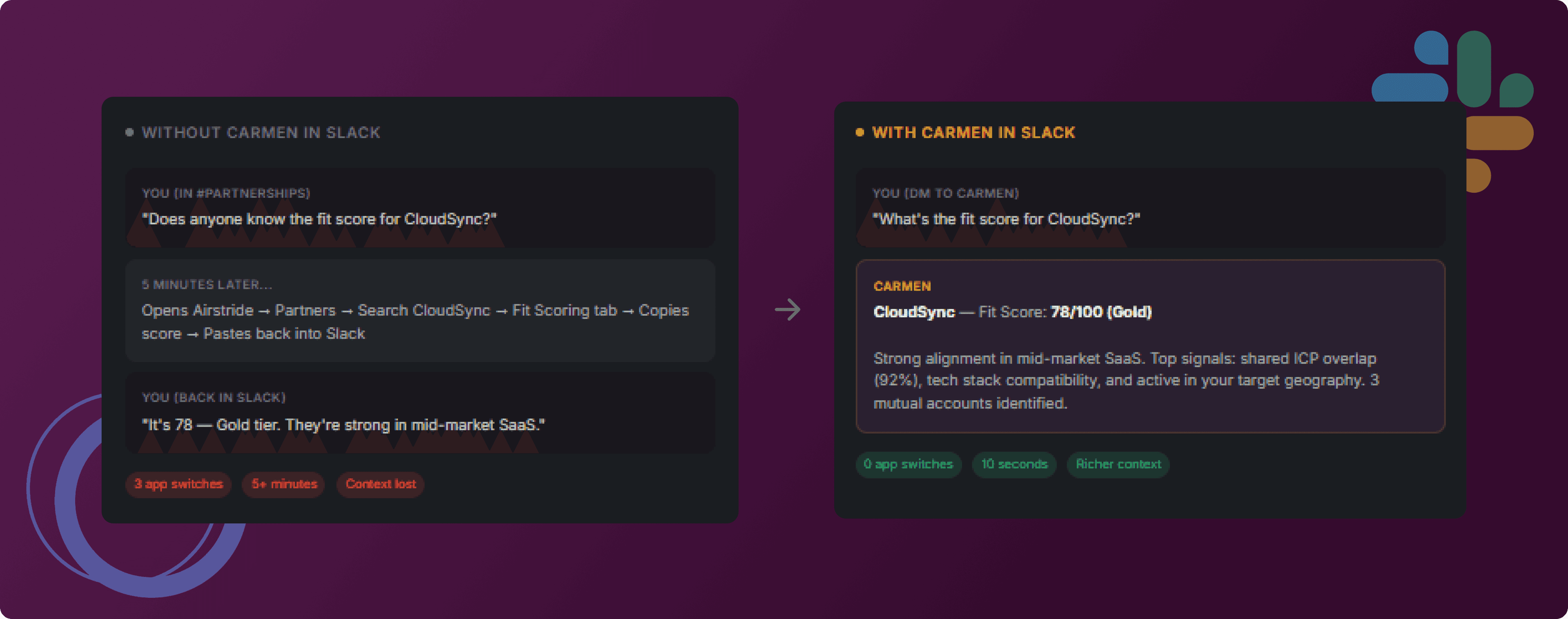
From tab-switching to one DM
Same question, completely different experience. Here’s what changes when the agent lives in Slack.
Up and running in three steps.
Install the Airstride app in your Slack workspace, and the agent is ready to chat.
Find Airstride in Slack
Open your Slack workspace, go to Apps, and search for "Airstride." You’ll find it in the Slack App Directory, listed as "AI powered platform for automated channel partnerships."
Apps → Search "Airstride"Install & Authorise
Click Install and authorise Airstride to access your workspace. The bot connects to your Airstride account automatically. No API keys or manual setup needed.
One-click install from SlackSend a message
Find Airstride in your Apps sidebar and send a message. The agent is ready to answer questions about your pipeline, partners, and deals.
"How’s my pipeline looking?"